Follow-up that keeps going when you're busy.
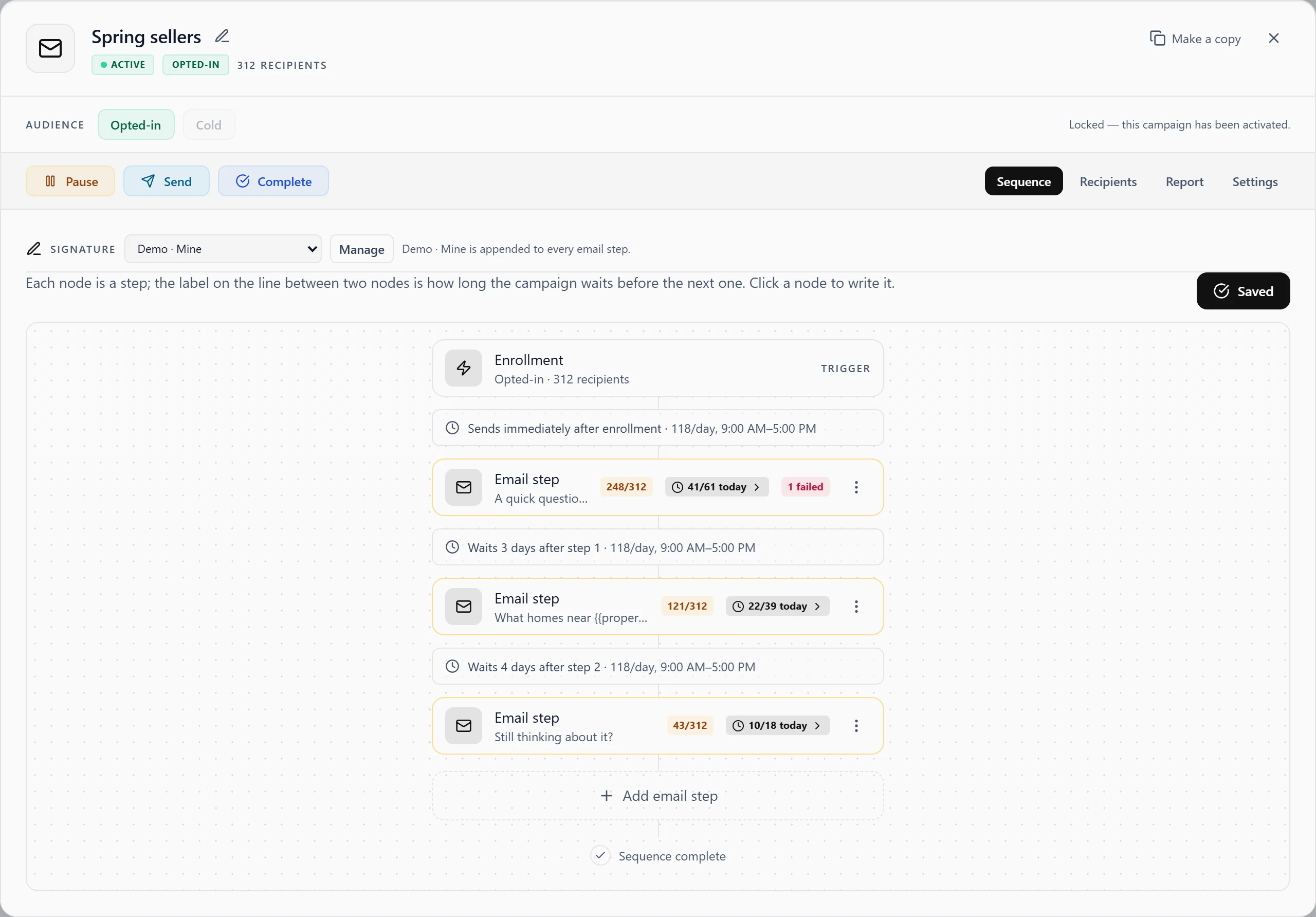
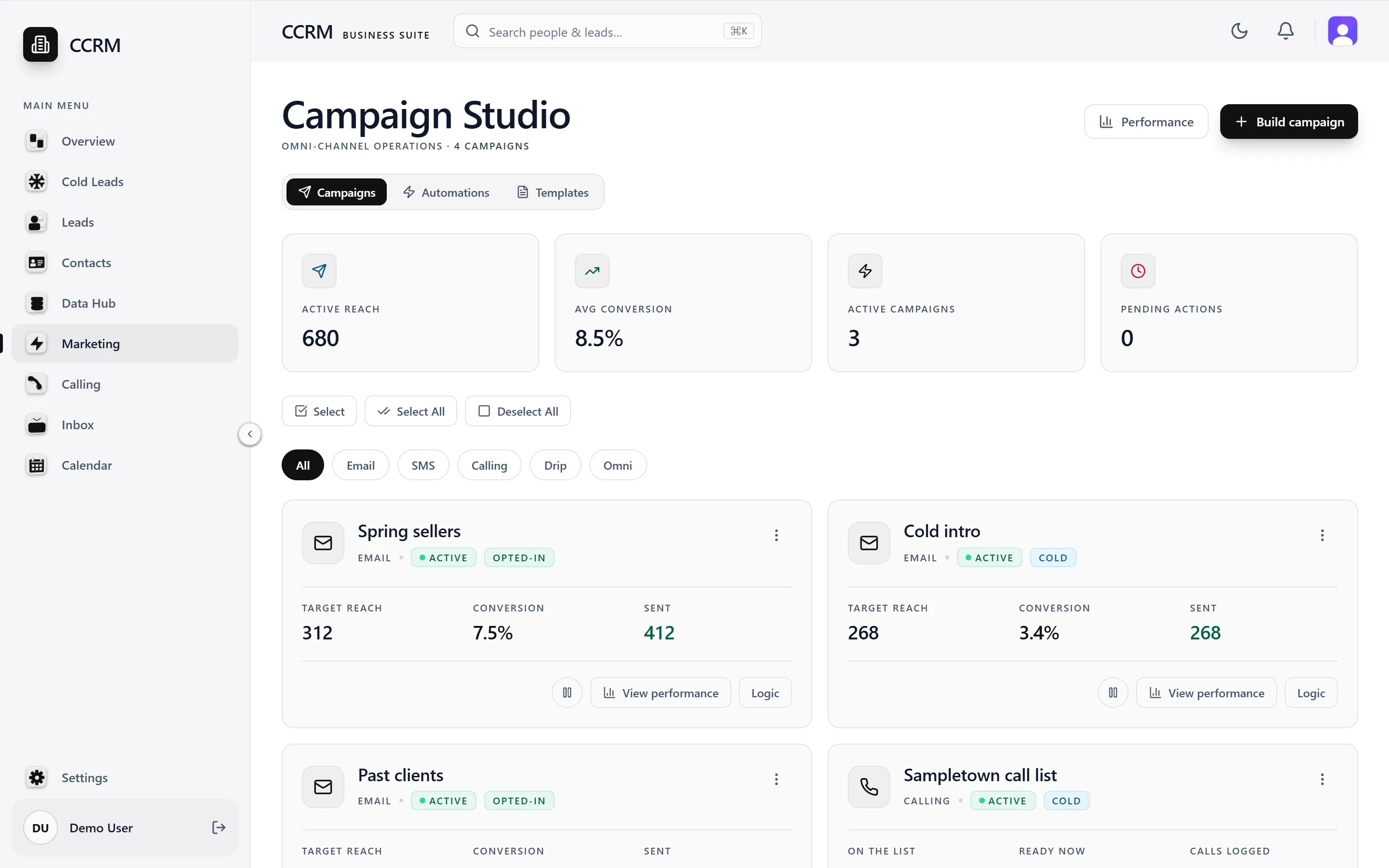
Build a sequence once. Creative CRM sends it one person at a time, at a pace your mailboxes can hold, and stops when someone replies or opts out.
The real app, with sample data
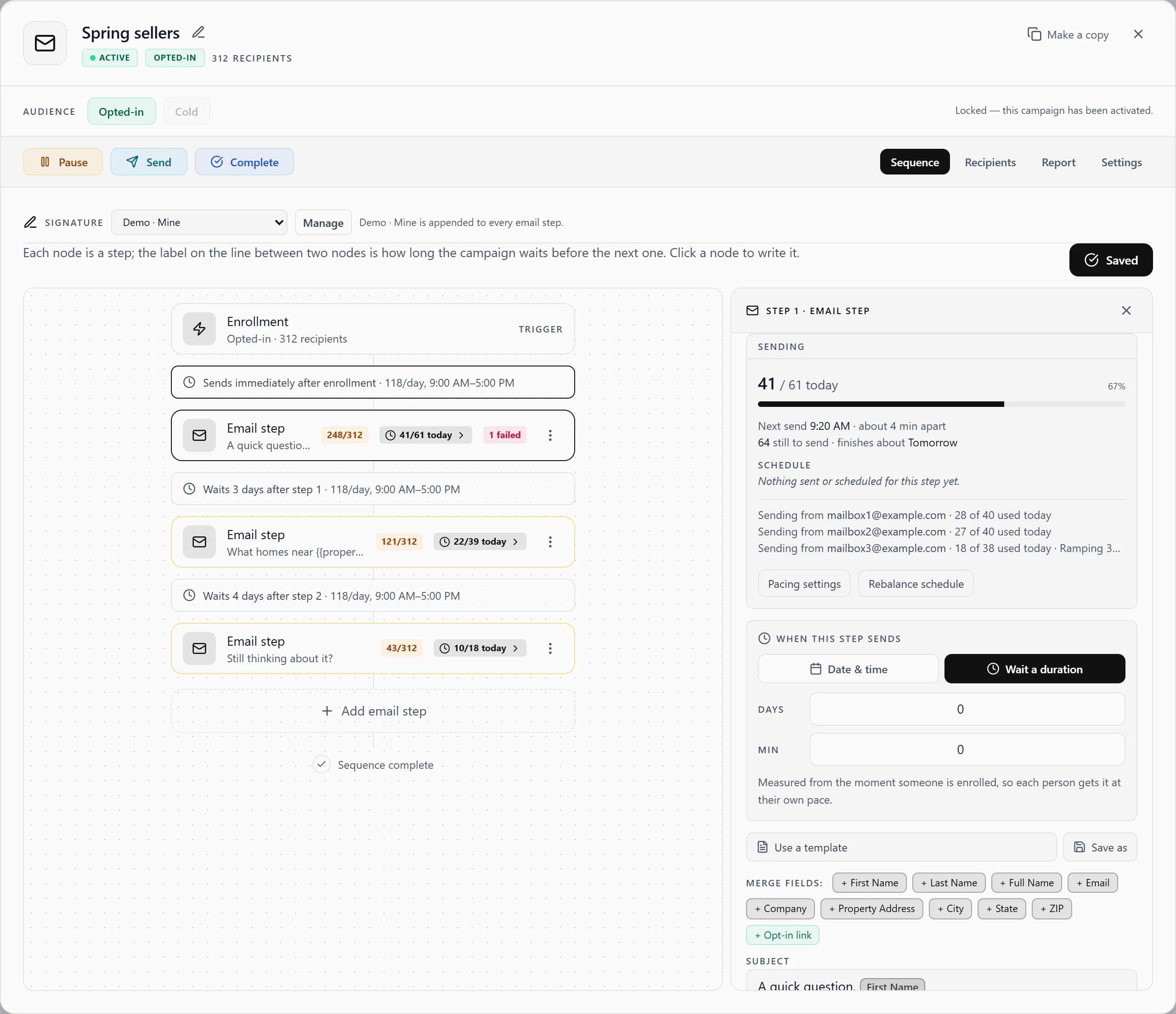
Send at a pace your mailboxes can hold.
Sends are spread out across your sending window, with no burst when a campaign starts. New mailboxes ramp up over the days you choose, and each stays within its daily limit.
- See today's progress and the next send for each step.
- A ramp holds if a cold mailbox's bounce rate climbs.
- Need more volume? Add mailboxes.
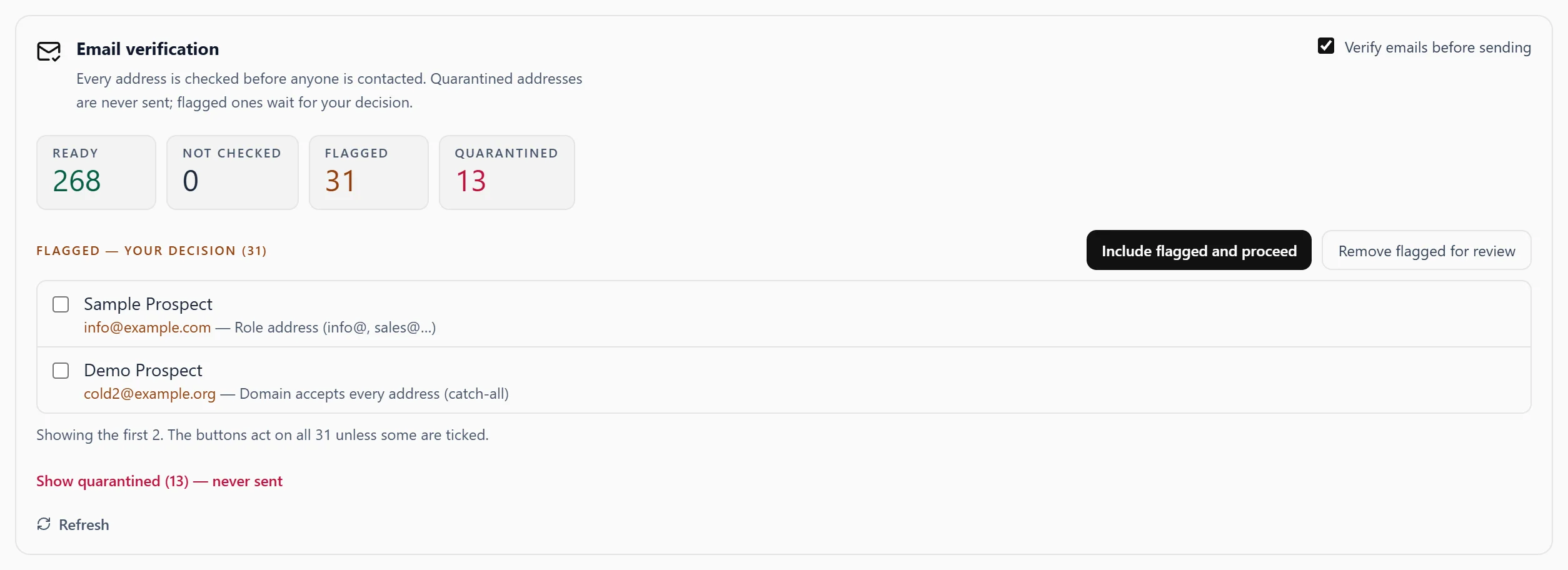
Check addresses before you send.
Turn on email verification for a campaign, and every address is checked before anyone is contacted.
- Ready addresses go out on schedule.
- Flagged addresses wait for your decision.
- Quarantined addresses are never sent to.
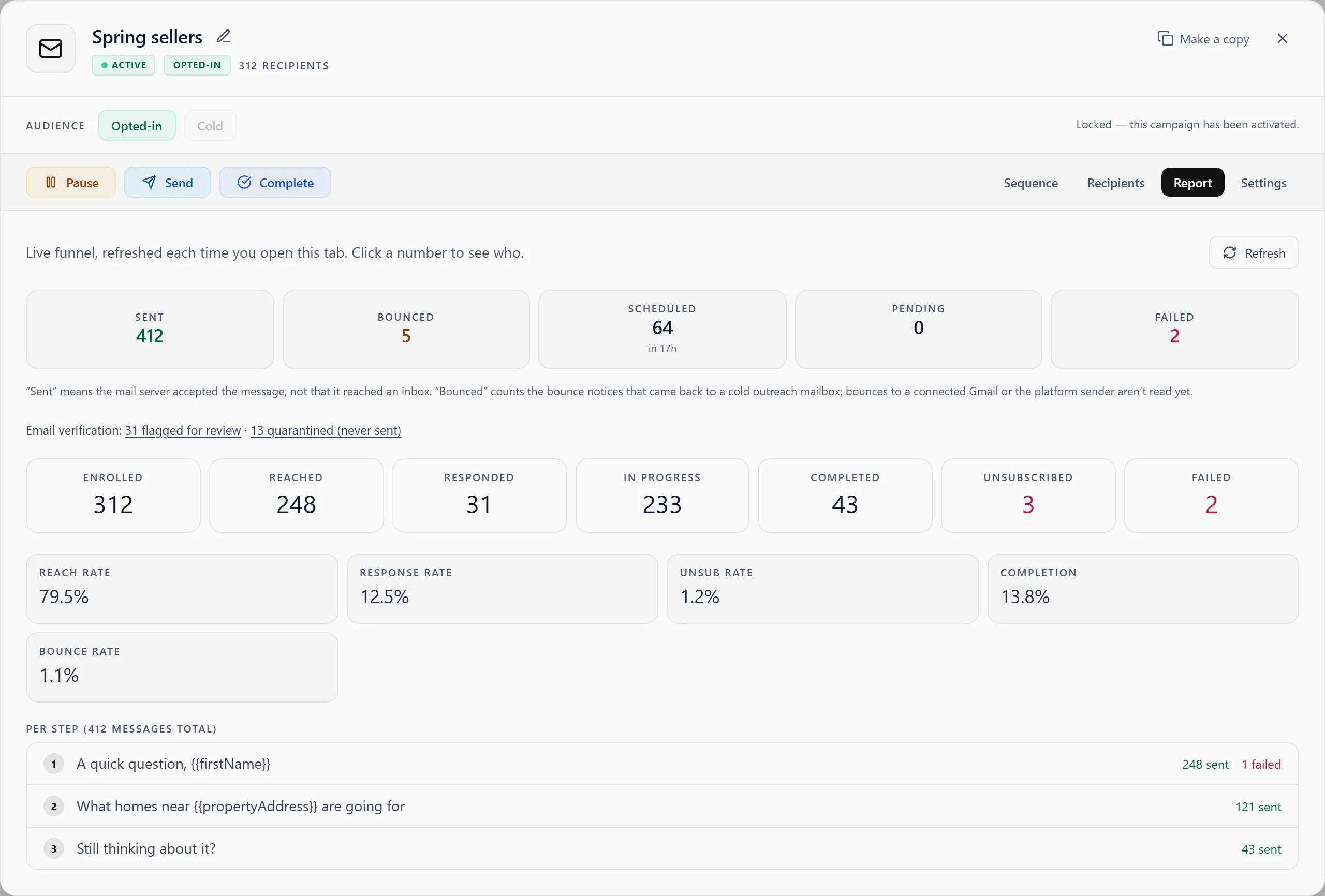
Know who answered, person by person.
A reply stops the sequence for that person and moves them to Leads. Every campaign has a live report, and clicking a number shows you who's behind it.
- Sent, bounced, responded and unsubscribed for each campaign.
- Results for each step in the sequence.
Cold outreach and opted-in lists stay separate.
Each campaign is either cold or opted-in, and that's locked once it's activated. Someone from a cold source can't join an opted-in campaign until they opt in themselves.
Be the first to know when we open.
Creative CRM isn't open to the public yet, but it will be soon. Join the list, and we'll reach out when we're ready to launch.