One record for every person you work with.
Cold lists, active leads and clients live in three lists, but each person has one record, with every email, call and note in one place.
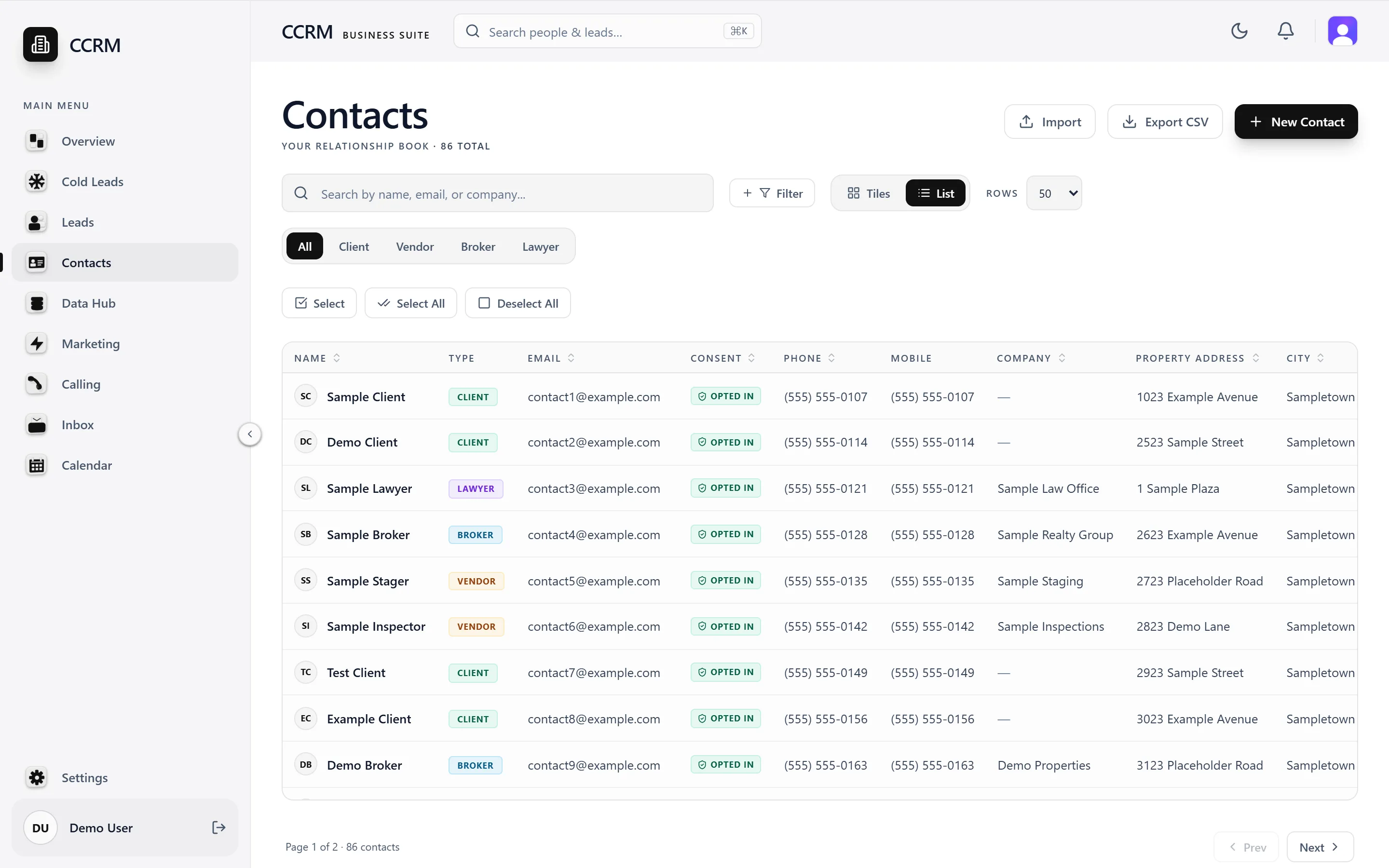
The real app, with sample data
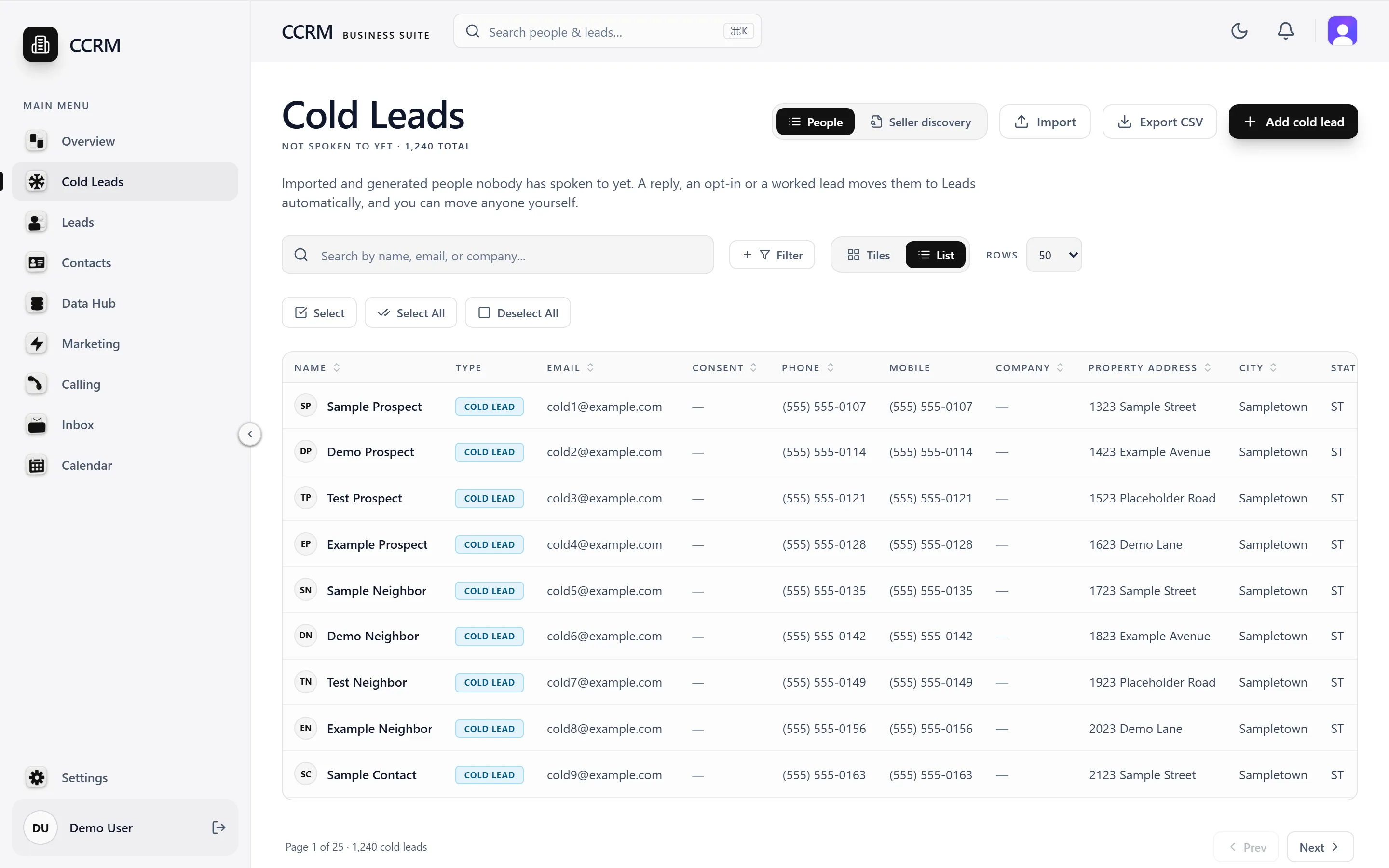
Three lists, in the order people move.
Moving someone never copies or deletes them. Forward moves happen on their own, and you can move anyone in any direction, with Undo.
- A reply, an opt-in or an interested call moves someone to Leads.
- A lead marked Won moves to Contacts.
- Unsubscribes, bounces and wrong numbers never move anyone.
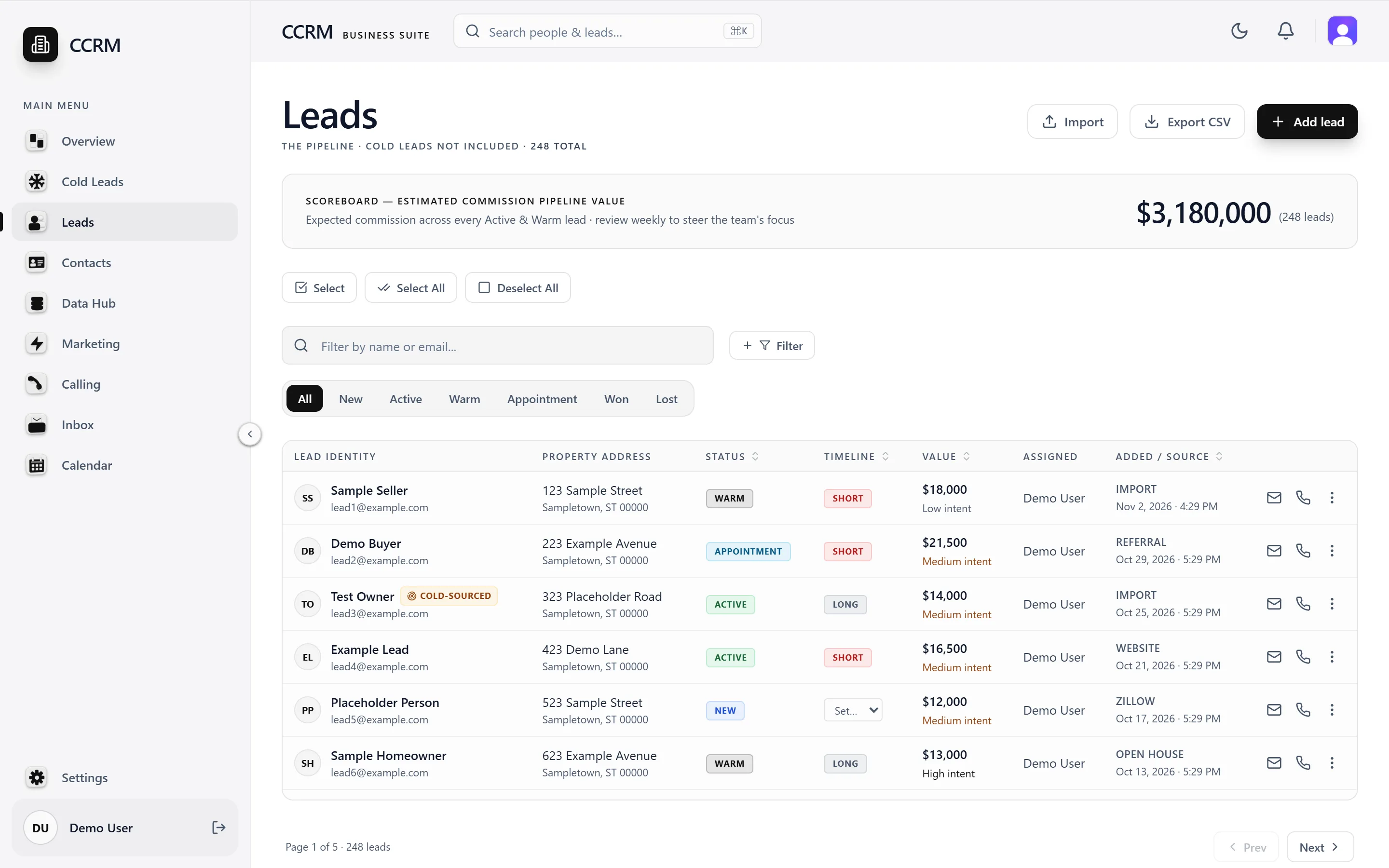
A pipeline made for real estate.
Every lead has a status from New to Won or Lost, and a short or long timeline for how soon they might move. The scoreboard adds up expected commission so the team knows where to focus.
- Status tabs for New, Active, Warm, Appointment, Won and Lost.
- The same filters across all three lists.
- Select everyone matching a filter, then move, tag or enroll them.
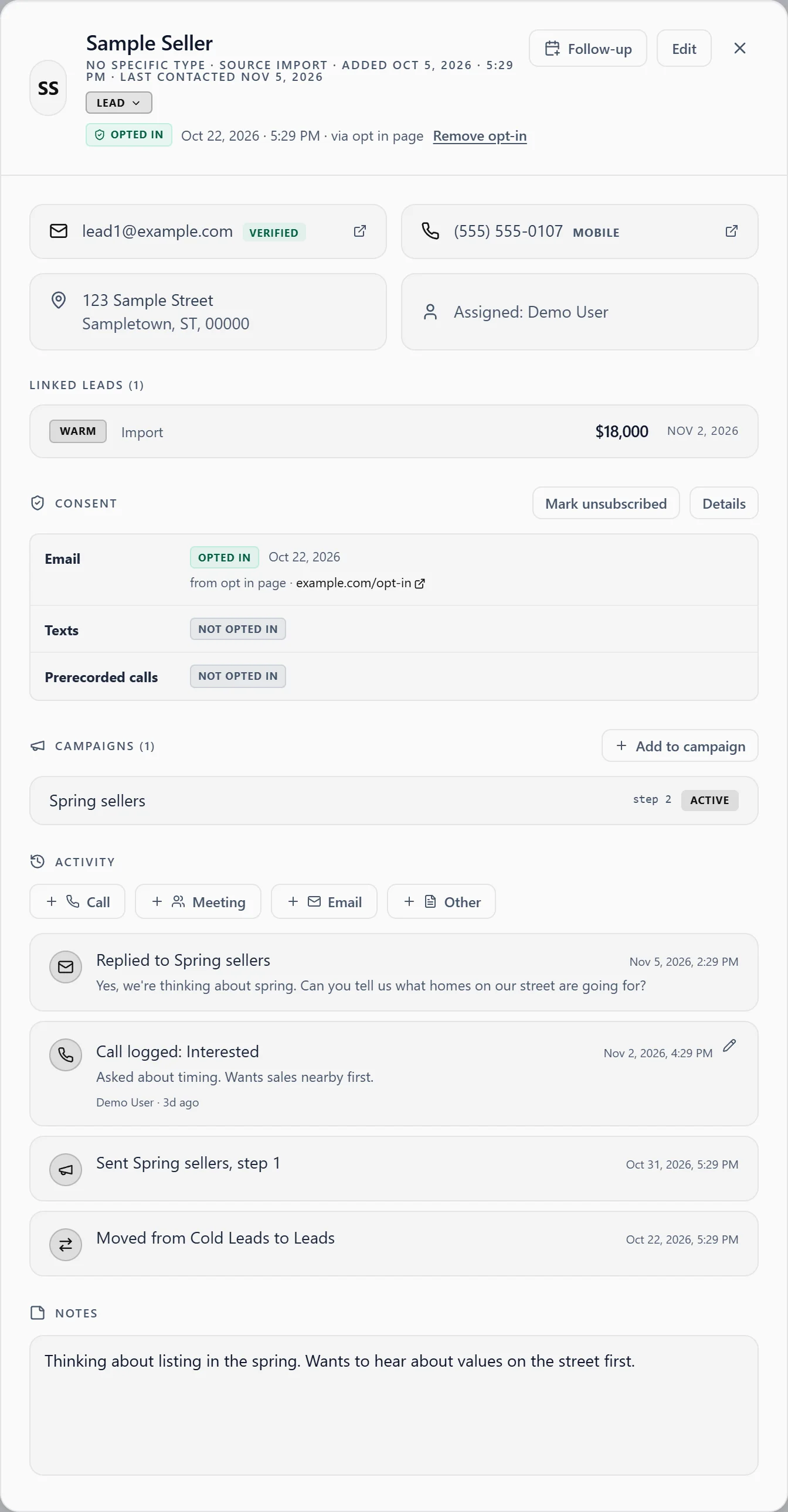
Everything about them, in one card.
Open anyone to see their details, their lead, what they've agreed to, which campaigns they're in, and everything that's happened so far.
- Log a call, meeting or email in a click.
- Set a follow-up right from the card.
- Keep running notes in one place.
Bring the lists you already have.
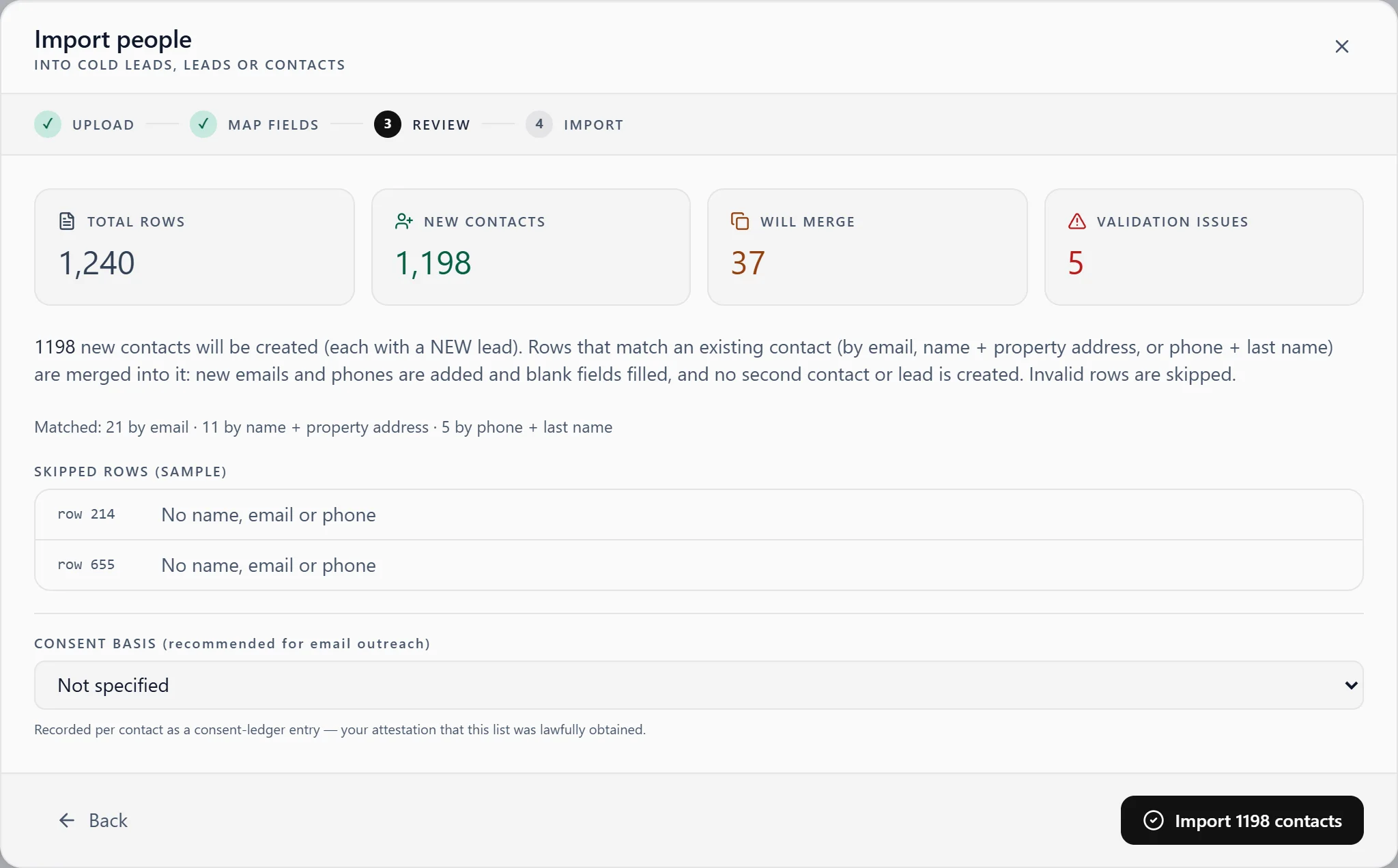
Import a CSV, an Excel file or a Google Sheets link. PDF and Word files work on a best-effort basis. You review how the columns match before anything saves.
- Rows that match someone you have merge into their record.
- Matches go by email, name and property address, or phone and last name.
- Blanks get filled. Existing emails, phones and details are never overwritten.
Custom fields
Track whatever your business needs, on all three lists.
Your contact types
Client, Vendor, Broker, or anything else you use.
Export to CSV
Take any list with you, with your filters applied.
Recently deleted
Deleted people can be restored for 45 days.
Be the first to know when we open.
Creative CRM isn't open to the public yet, but it will be soon. Join the list, and we'll reach out when we're ready to launch.